

An AI employee that works only for you.
A mini PC with an AI assistant that sits in your office and is connected to your email, calendar, drive, invoicing and CRM. You give it tasks by message or by voice; it handles the routine on its own and passes sensitive steps to you for approval.
Every company gets its own device, and we never share it with anyone else. Up and running within a week, no minimum term.

Marek
AI employee
- You: Issue an invoice to Novák s.r.o. based on yesterday's quote and send it to them.
- Marek: The invoice is ready; I took the items from the quote on Drive. I'm passing it to you for approval before it goes to the client.Invoice · Novák s.r.o.PDFwaiting for you
- Marek: Sent to the client's billing address. If payment doesn't arrive by the due date, I'll follow up.
Trusted by






You message it like a colleague. Or send a voice note.
Email, WhatsApp, Telegram, Slack or Teams, wherever you already are. A voice message sent from the car gets transcribed and handled like a written task. In the Manager package it also answers the phone and makes calls.
Find out in 2 minutes whether it's worth it for you„Move tomorrow's meeting with the supplier to Thursday morning and let everyone who needs to be there know.“
Got it, done:
- Meeting moved to Thursday morning
- Invitation sent to all attendees
- I'll remind you on Wednesday evening
It works inside your systems, not next to them.
We connect it to email, calendar and drive in Google Workspace or Microsoft 365, and to invoicing, accounting, CRM and project tools. All of Google Workspace or Microsoft 365 counts as one integration.
The mini PC is connected to email, calendar and drive, which together count as one integration, and also to invoicing, CRM and project tasks.
By the time you get to work, your inbox is sorted.
It sends a briefing in the morning, handles the routine during the day and shows you anything going out to clients first. You decide which steps it takes on its own and which wait for you.
- Morning briefing: today's meetings, unpaid invoices, what's awaiting a reply — on its own
- Inbox sorted, replies to routine questions sent — on its own
- A time found that suits three people, invitation sent — on its own
- Three invoices prepared from delivery notesfor approval
- Follow-up on a quote that has been sitting in the pipeline for a weekfor approval
- Reminder of tomorrow's meeting, materials are on the drive — on its own
It doesn't get ill, take holidays or work a notice period. And when it doesn't know something, it asks instead of guessing.
One computer, one company.
Every customer has their own mini PC, which sits on their premises and is never shared with anyone else. The disk is encrypted, you can revoke its access to your systems at any time, and we sign a data processing agreement with you.
Some tasks are processed directly on the device; more demanding ones go to a language model in the cloud. We agree together during setup what goes where.
- Sits on your premises, never shared
- Encrypted disk
- Revoke access at any time
- Data processing agreement
- Remote management and updates
It does the work you would otherwise hire someone for.
Decisions and client relationships stay with you. It takes over whatever slows you down along the way.
| AI employee | New hire | |
|---|---|---|
| When it works | Around the clock, weekends included | During working hours |
| Time to start | Within a week of signing | Recruitment and onboarding, weeks to months |
| Holidays and sick leave | None | Needs cover |
| If it doesn't work out | No minimum term | Notice period |
| Judgement | Passes sensitive matters to you for approval | Decides alone |
What businesses worry about with AI, and what we do about it.
Businesses that considered AI but didn't adopt it most often mention three things: they don't have the people for it, they don't know whether it's legal, and they're worried about their data. We hear the same questions ourselves; here are our answers.
Why EU businesses that considered AI didn't adopt it
- Lack of know-how70%
- Unclear legal consequences54%
- Data protection concerns53%
Source: Eurostat, 2025. EU businesses with at least 10 employees that considered AI; one business could give more than one reason.
Where will our data go?
To a dedicated device that sits on your premises and is never shared with anyone. The disk is encrypted, we sign a data processing agreement, and during setup we agree together what it processes locally and what it sends to a language model in the cloud.
We have no one who understands this.
You don't need anyone. We handle installation, integrations, training and updates. From you, we need access and one meeting to agree the rules.
Is it even legal?
It introduces itself as your company's AI assistant, as the EU AI Act requires, and handles personal data under a data processing agreement in line with GDPR.
What if it makes a mistake or makes something up?
Sensitive steps, such as an invoice or the first email to a new client, it shows you for approval first. When it isn't sure, it asks instead of guessing.
Will people on the team lose their jobs?
It takes over the routine that slows them down: email, scheduling, invoices, follow-ups. Decisions and client relationships stay with them.
What if it isn't worth it for us?
You see it live at a demo first, and there is no minimum term. If it doesn't deliver what it should, you simply stop.
Marek works for us every day.
It isn't a demo for clients. Marek is our own AI employee and does exactly what we offer you:
- Sorts email and replies to routine messages on its own
- Schedules meetings and sends reminders
- Issues invoices
- Tracks sales opportunities in the pipeline
- Finds, summarises and prepares documents on Drive
- Sends a morning briefing and handles ad hoc tasks
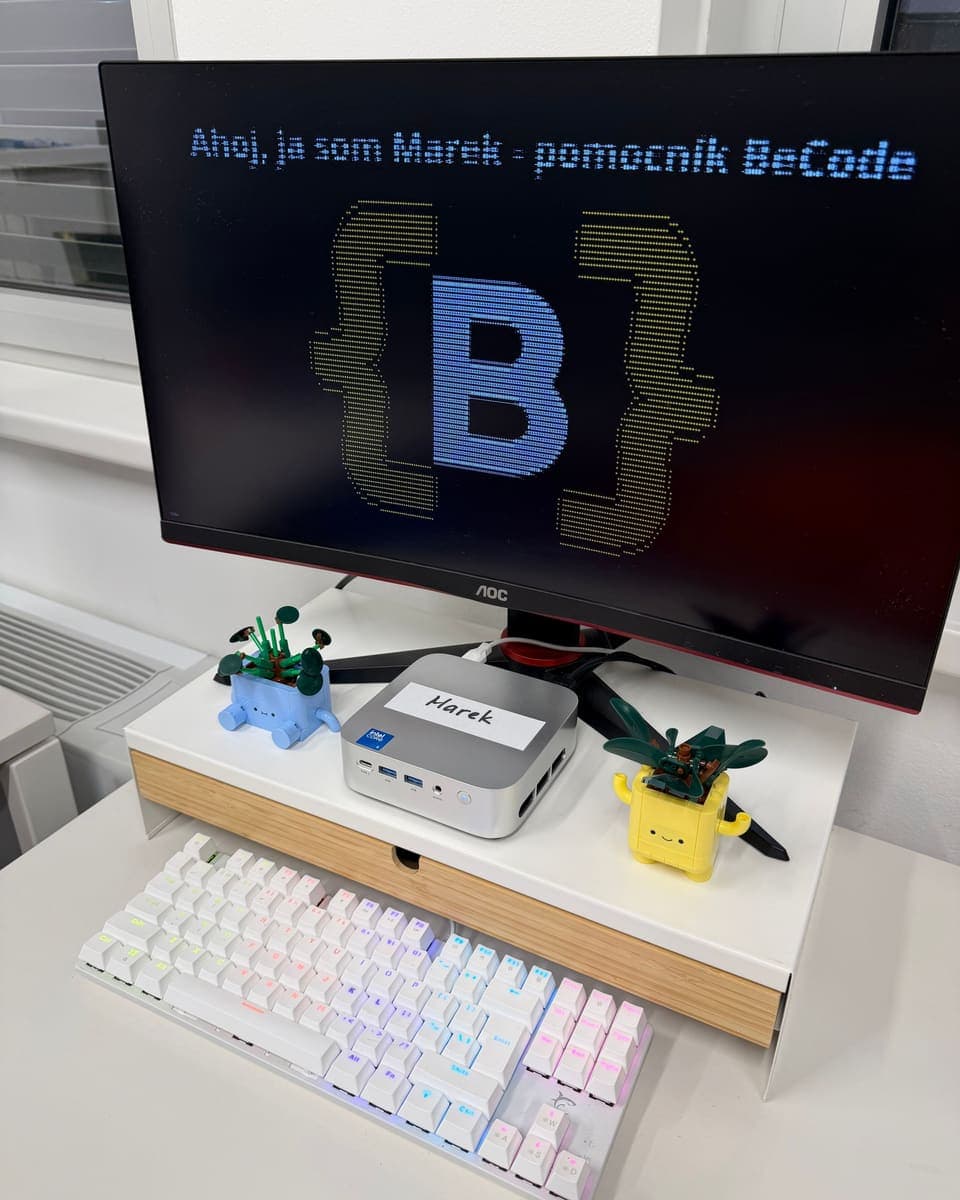
Marek
AI employee · BeCode
Connected to
- Calendar
- Drive
- Invoicing
- CRM
- Pipeline
From demo to first working day within a week.
We take care of the device, installation and training. From you we need access to your systems and one meeting to agree the rules.
Find out in 2 minutes whether it's worth it for youDemo
We show you Marek live and go through what it would do for you.
Package and integrations
Together we choose the systems and channels. You get the price in a quote.
Installation on site
We bring the mini PC, plug it in and connect it to your systems.
Training
We set its name, its rules and what it passes to you for approval.
First working day
It starts work. We monitor it and fine-tune it to what you need.
Three packages. For the whole company, no minimum term.
They differ in the number of integrations, phone calls and the level of support. You get the price, a one-off setup fee plus a monthly fee, in a quote after the demo.
Assistant
For a company that wants its email, calendar and documents in order.
- 3 integrations
- Email, WhatsApp, Telegram, Slack, Teams and voice messages
- For the whole company, no limit on headcount
- AI usage included up to the package limit
- Phone calls and its own number — not included
- Priority support — not included
- Hours for new skills every month — not included
Colleague
For a company that also wants it to handle invoices, CRM and sales.
- 6 integrations
- Email, WhatsApp, Telegram, Slack, Teams and voice messages
- For the whole company, no limit on headcount
- AI usage included up to the package limit
- Phone calls and its own number — not included
- Priority support — not included
- Hours for new skills every month — not included
Manager
For a company that wants everything connected and wants it to make phone calls too.
- Unlimited integrations
- Email, WhatsApp, Telegram, Slack, Teams and voice messages
- For the whole company, no limit on headcount
- AI usage included up to the package limit
- Phone calls and its own number
- Priority support
- Hours for new skills every month
Channels don't count towards the number of integrations. All of Google Workspace or Microsoft 365 is one integration, the invoicing system a second, CRM a third.
Frequently asked questions
What exactly is an AI employee?
A small computer with an AI assistant that sits in your office and is connected to the systems you work in: email, calendar, drive, invoicing, accounting, CRM. You give it tasks by message or by voice through the channels you already use, and it carries them out directly in those systems. It has its own name and its own email address, so within the company it acts as a colleague, not as yet another app.
Where is my data and who has access to it?
The device belongs to your company alone and we never share it with another customer. The disk is encrypted. Some tasks are processed directly on the device; more demanding ones go to a language model in the cloud, and we agree together during setup what goes where. We have remote access for management and updates, and we sign a data processing agreement with you. You can revoke its access to your systems at any time.
Will it do anything without my knowledge?
It handles the routine on its own: sorting email, answering routine questions, finding meeting times, preparing documents. Sensitive steps, such as sending an invoice or the first email to a new client, it shows you for approval before they go out. You decide what falls into which group during training and can change it at any time.
Do people know they're communicating with AI?
Yes. From August 2026, Article 50 of the EU AI Act requires this for systems that interact with people, and we would consider it the right thing to do even without it. The AI employee introduces itself as your company's AI assistant.
What counts as an integration?
One connection to one system. All of Google Workspace or Microsoft 365 (email, calendar, drive) is one integration, the invoicing system a second, CRM a third. The channels you use to communicate with it, meaning email, WhatsApp, Telegram, Slack, Teams and voice messages, don't count. Assistant covers 3 integrations, Colleague 6, and Manager has no limit.
What if it reaches the AI usage limit?
AI usage is included in the monthly fee up to the package limit. As you approach it, we let you know in advance and agree whether to move to a higher package or pay for usage above the limit. We never charge anything extra without your consent.
How much does it cost?
A one-off setup fee and a monthly fee depending on the package. We don't publish prices because they depend on what needs to be connected and set up. You get the price in a quote after a live demo and pay nothing until you approve it.
What happens to the computer if we stop?
The device is rented and the contract has no minimum term. When it ends, we collect the device and erase the data on it.
Why a separate computer and not a cloud service?
The AI employee works with your accounts, emails and documents. We don't want all of that sitting on a server alongside other companies' data. Your own device means your own environment, separated from other customers, which you can disconnect at any time.
Will it replace an employee?
It takes over the work you would otherwise hire an assistant, a back-office person or a receptionist for: email, scheduling, invoices, follow-ups, reports. Decisions and client relationships stay with people.
Build your AI employee
Choose a package and what it should do. We'll get back to you within 24 hours to arrange a live demo. You pay nothing until you approve the quote.
